
The highlight of this edition is the 10 instruction templates: instead of writing the agent's instructions from scratch, you start from a ready-made template for your case and adapt it to your business. Plus two more news items: Google Sheets turns on by itself and an alert when the WhatsApp channel goes down.
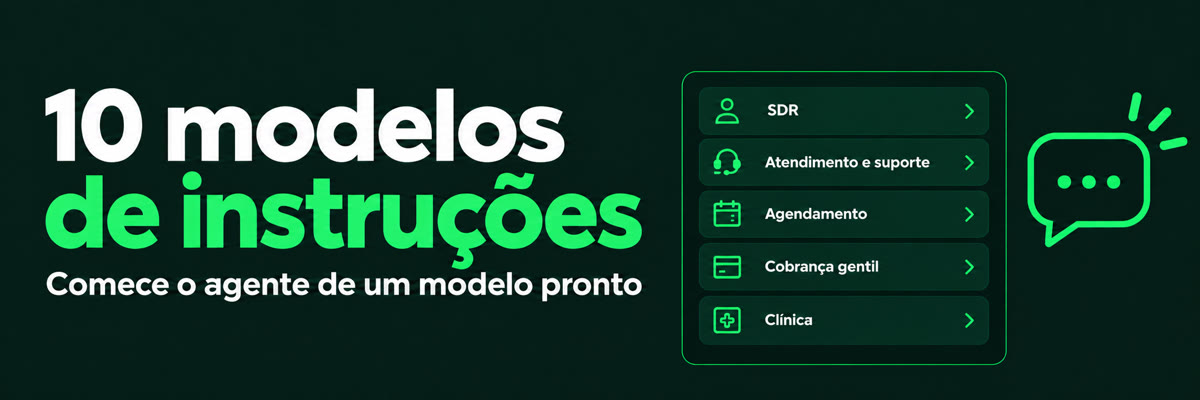
Start the agent from a ready-made template
In the agent editor, in the Instruções (Instructions) section, the Templates button opens the "Templates de prompt" (Prompt templates) drawer. Each template already includes the agent's role, goal, tone of voice, what to do and not to do, when to hand the conversation to a person, how to use the tools and the CRM, and sample phrases.
- SDR (lead qualification): approaches the new lead, finds out the need, timeline and decision-maker, and hands the hot lead to a salesperson.
- Support and service: answers questions and solves problems with the knowledge base, and hands over to a person when it does not know.
- Scheduling: collects the preferred date, time and service and records the request for the team to confirm.
- After-sales and satisfaction survey: follows up after the purchase, runs the survey and handles unhappy customers.
- Gentle collections: reminds the customer of a pending payment respectfully, understands the reason and records the agreed date.
- Sales and catalog: helps choose products, gives prices and variations from the catalog and records the purchase request.
- Real estate reception: understands what the person is looking for, presents options from the base and forwards a visit or proposal to the broker.
- Clinic service: welcomes patients, answers administrative questions and records appointment requests, with no diagnosis.
- Education and courses: answers questions about courses and enrollment, understands the student's goal and forwards to the administration office.
- Instagram lead reception: answers whoever messages on direct, understands the interest and leads to a sales conversation.
- Blank: to start from scratch.
- In the menu, open Agentes (Agents) and enter the agent you want to configure.
- In the Instruções section, click "Templates" and choose the template.
- The text goes into the instructions field. Adapt it to your business and click Salvar (Save).
Note: choosing a template replaces the current text in Instructions, and "Blank" clears the field. If you already had text you want to keep, copy it first. Nothing changes in the agent until you save. The templates mention tools and the CRM: turn on the tools the template uses in the agent's Tools section.
Google Sheets turns on by itself
The first time you choose a spreadsheet, the Google Sheets tool turns on by itself. Choosing a second spreadsheet does not change the switch, and a refused spreadsheet does not turn the tool on.
Alert when the WhatsApp channel goes down
The owner and the administrators receive an alert in the bell and an e-mail when the channel goes down and the agent cannot answer through it, and another one when it connects again. Each outage generates a single alert, and disconnecting the channel on purpose generates none.
- On WhatsApp connected through a partner provider, the outage reported by the provider makes the channel show as disconnected and generates the same alerts, when it goes down and when it comes back.
- On official WhatsApp, when Meta restricts, flags or deactivates the account, the owner and administrators also receive the alert. If the Meta token expires, an e-mail is sent in addition to the bell.
Questions? Write to [email protected].