

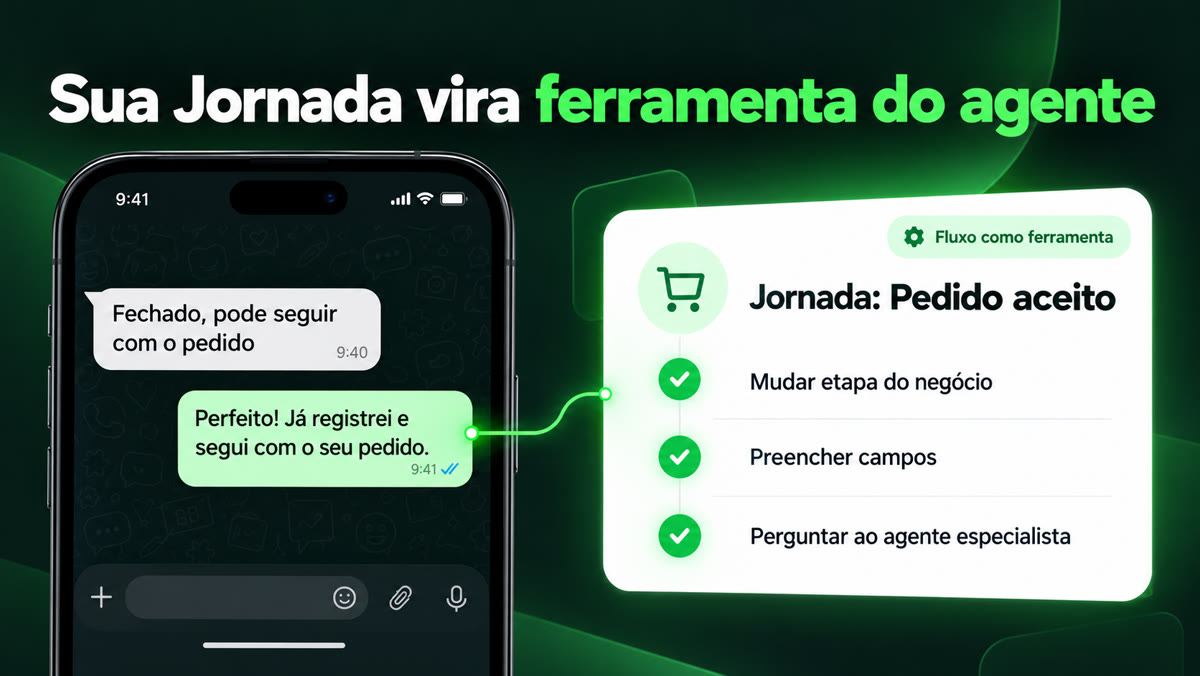
Until now, Journeys and agents worked side by side: the Journey reacted to an event, the agent held the conversation. From today, the agent can call a Journey in the middle of the conversation. It decides the right moment, and the Journey does the rest: updates the CRM, waits, asks another agent.
Your Journey becomes an agent tool
It works in three steps:
- In the Journey, choose the "Flow as a tool" trigger, describe when the agent should use it and publish.
- In the agent editor, step 08, the Journeys strip shows the Journeys published with that trigger. Every new Journey is already turned on for all agents: turn it off, one by one or all at once, for the agents that should not call it.
- Choose the Scope:
- Only who is talking: the Journey fires only for the person in the conversation.
- Operator: the Journey fires for any contact in the organization. Designed for the agent your team uses internally, and only valid with Access control set to Closed list and without the Web Chat channel.
How it shows up day to day
- Sales: the customer accepts the proposal on WhatsApp; the agent calls the Journey that moves the deal to the next stage and fills in the agreed fields in the CRM.
- Support: the customer makes an unusual request; the agent calls the Journey that creates the record in the CRM and asks another agent, a specialist in the subject.
This is the first delivery. The "Only run if…" filter with contact data, on this trigger, is still coming soon.
Catalog: import items from a spreadsheet
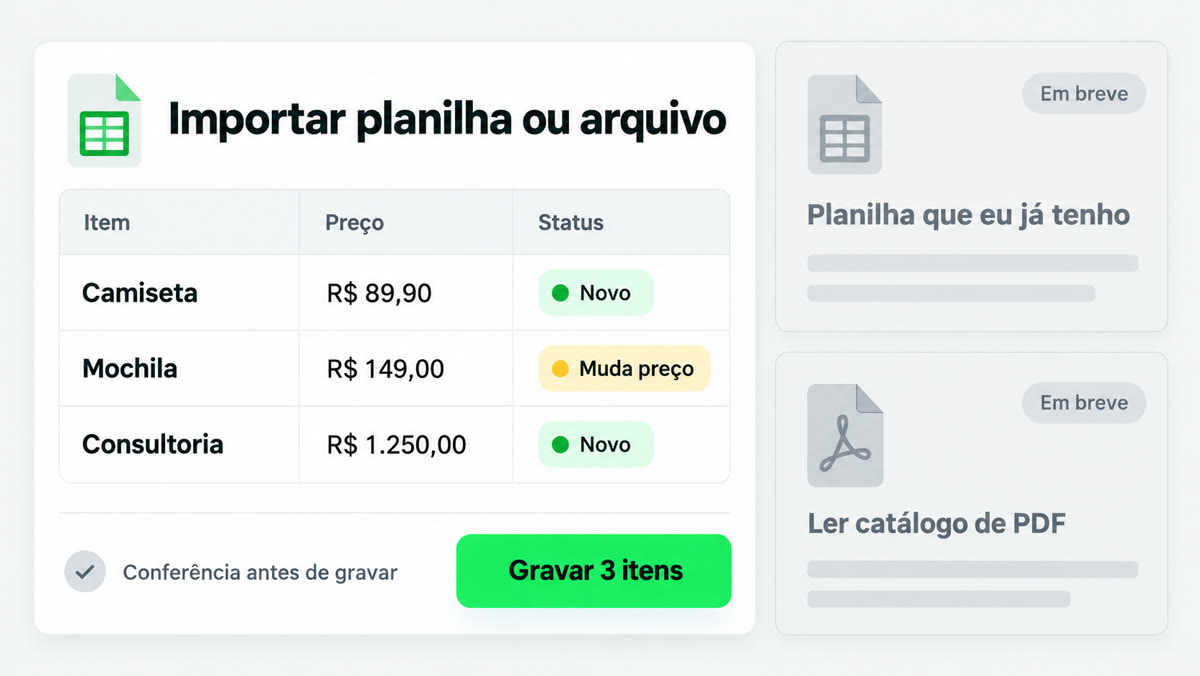
In the Catalog app, import your items all at once:
- CSV spreadsheet in the format template or JSON file.
- The Hub shows the check before saving: you see what comes in and what changes.
- Coming soon: spreadsheet with free-form columns and reading a manufacturer's PDF catalog.
And the agent gained one more check: when the customer asks for an item with measurements, it checks whether the measurements fit within the item's limits before answering.
Campaigns that are easier to organize
The Campaigns list became easier to use:
- actions for each campaign according to its status;
- sorting by columns, with the "Created on" and "Sent on" dates;
- archive and duplicate a campaign;
- the minimum interval in days between campaigns is now available to all organizations. The default is 0, meaning no minimum interval.
Códigos Brasil: 7 new lookups for the agent
A new tool with public lookups that come up all the time in support:
- area code (DDD);
- city by IBGE code;
- NCM;
- bank;
- Pix participant;
- ISBN;
- .br domain.
Each function turns on and off separately. The tool arrives turned off: turn it on in Integrations › Tools and choose, in each agent's editor, which functions it uses.
Other news
- Match panel on the Dashboard: when you install the Match app, its panel appears on the Dashboard; when you uninstall it, it goes away.
- New model: GPT-6 Luna becomes the default model for FAQ generation and Campaign suggestion.
- "Analyze prompt" with your AI key: with your own key, "Analyze prompt" and the guardrail accept all the models of your key, and no longer offer a model that doesn't fit.
- Tool without settings: no longer shows the "Configure" button, which led to an error page.
- Campaign test with a large e-mail: the Hub now says why when the e-mail is too large for the test send.
- Learning with your own key: the Hub warns you when saving if the key hasn't been chosen.
Hub evolves every day. To get the news, keep an eye on the product newsletter.